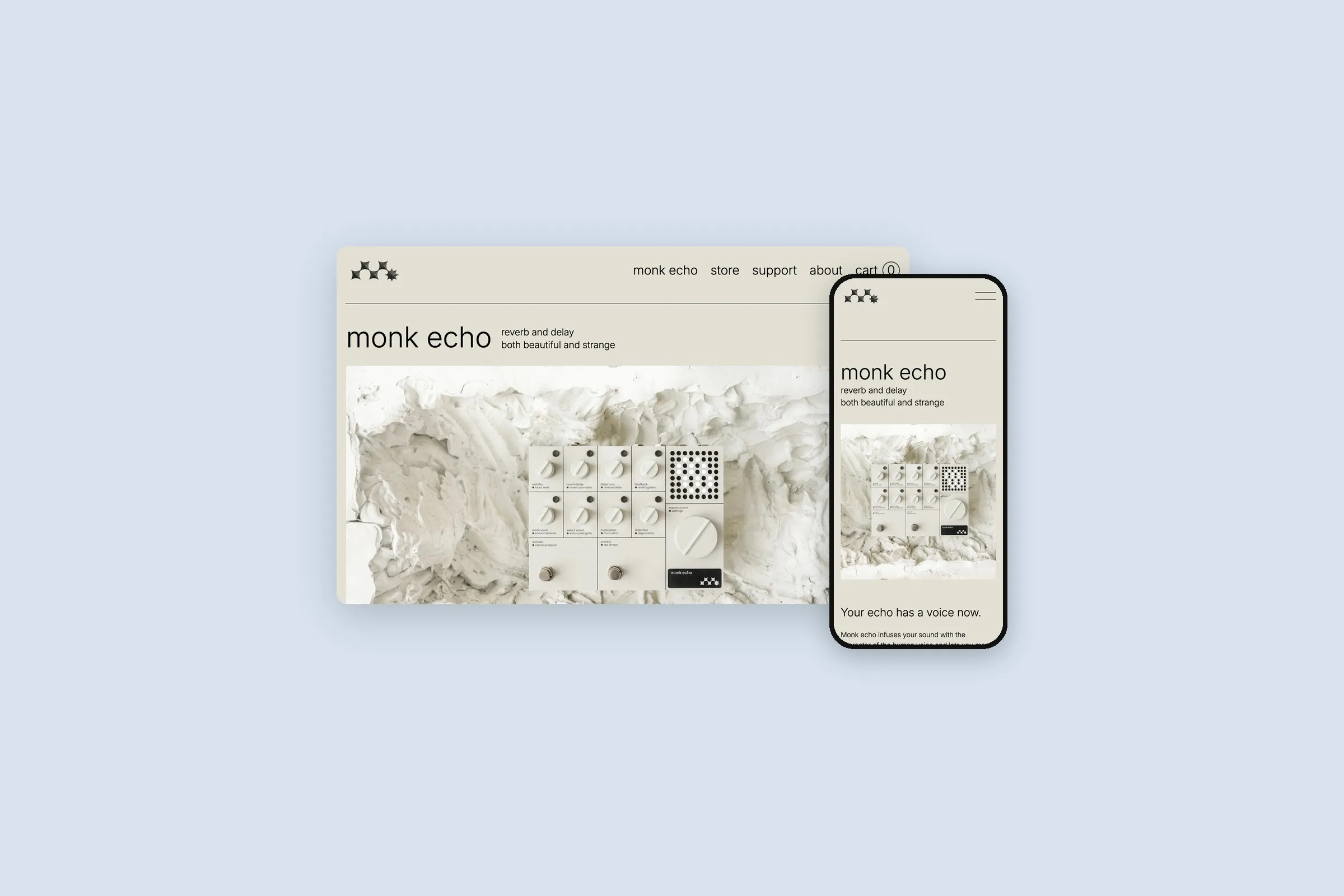
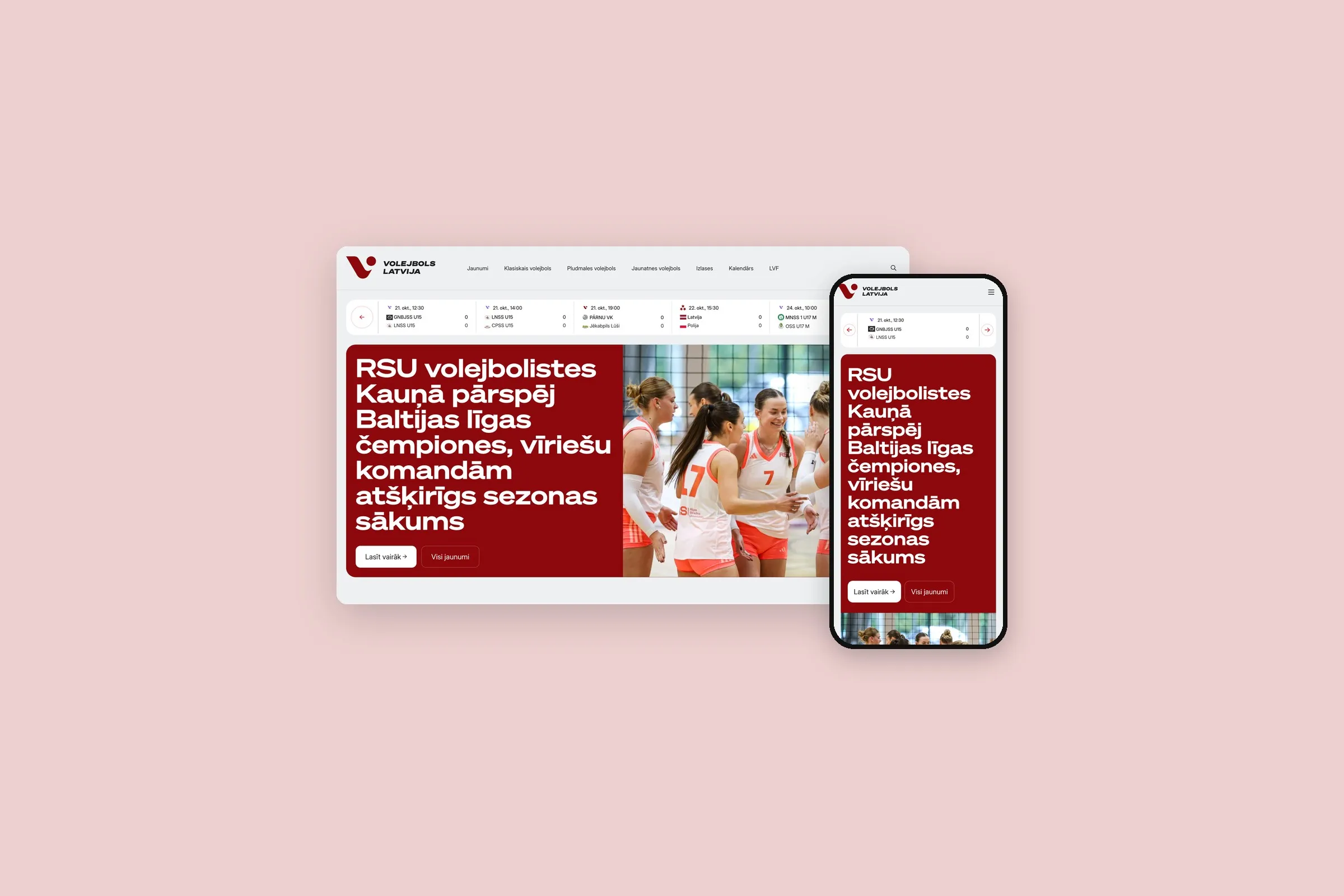
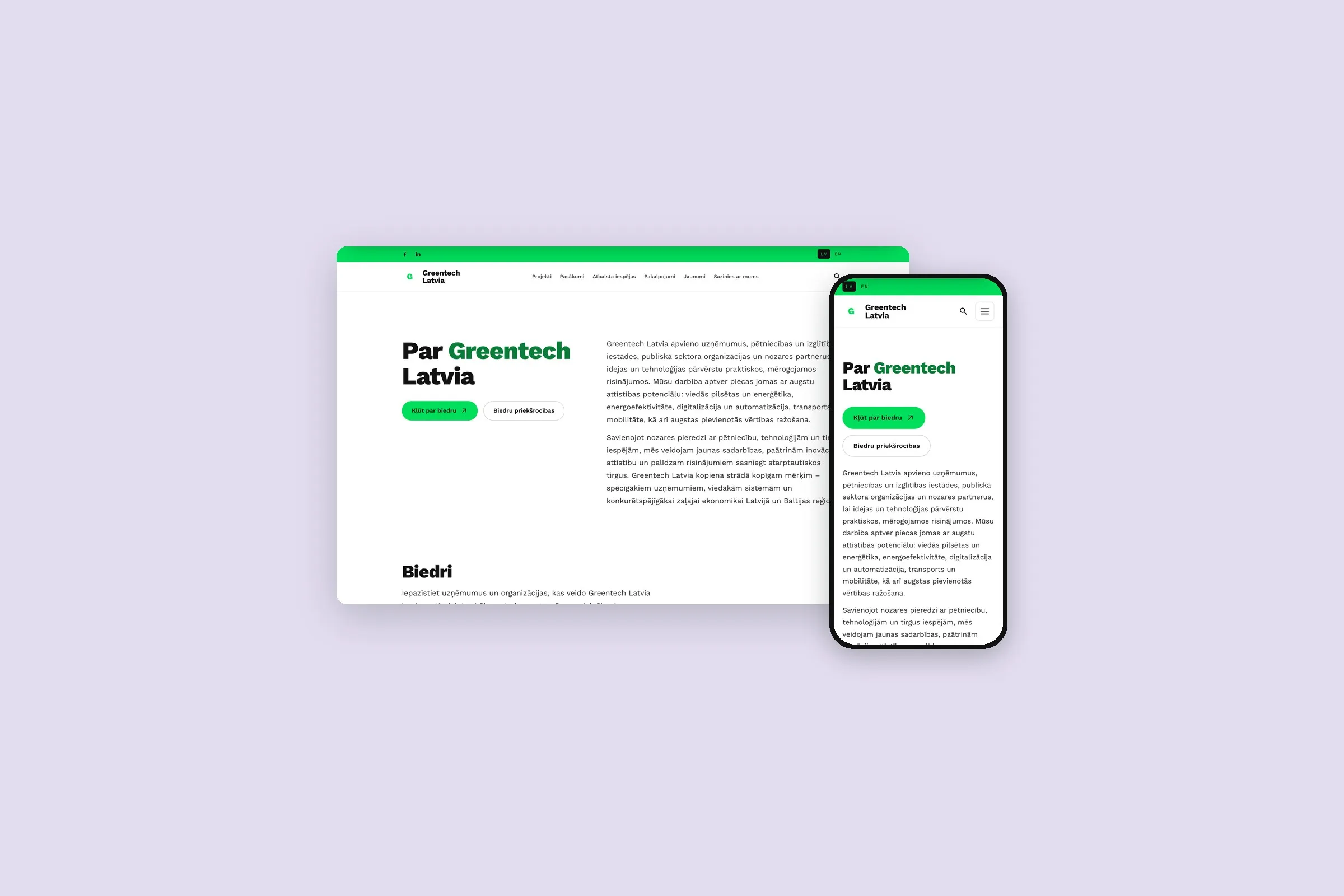
WordPress is at its best on company websites that grow page by page, often in two or three languages. We build each one from blocks made for its content, so your team edits the words and the design holds.
Our website development starts with your team: we sit down together and look at what people already do on your site. Then each section of the design becomes a block with plain fields, and before launch we show your editors how each one works.
How a WordPress site fits together
Every WordPress site has the same five parts. Knowing which is which helps when something needs to change, or when someone quotes you for it.
| Part | What it does |
|---|---|
| WordPress itself | The admin, the editor, users and roles, media and the history of every page. Free, open source and regularly updated. |
| The theme | How everything looks. Ours is written for your site, usually on Sage, an open-source starter theme, with the colours, fonts and spacing fixed in code. |
| Blocks | The sections your editors fill in, such as a hero, a team grid or a price table. We build them with Advanced Custom Fields PRO or as native WordPress blocks. |
| Plugins | Extra features: search settings, languages, a shop. We keep the list short. |
| Hosting | The server that runs it all, with page caching and an SSL certificate. |
Day to day, an editor opens a page, changes the words or swaps an image inside a block, previews it and presses Save. A new page starts from a template with the right blocks already in place. Every save is kept as a revision, and any earlier version can be restored.
Roles decide who can do what. An Editor can publish any page, an Author only their own posts, and a Contributor writes drafts for someone else to approve.
Pros and cons of WordPress
Pros
- Widely used, so developers are easy to find
- Free and open source: no licence fee for WordPress itself
- An editor most marketing teams already know
- Proven tools for search, languages and shops: Yoast, Polylang, WooCommerce
Cons
- Plugins are the weak spot
- Speed depends on the build
- It needs regular updates, and each one should be tested first
- Paid plugins renew every year, and without ACF PRO’s licence editors can’t edit its blocks
| Your project | Our pick |
|---|---|
| A company site that grows page by page, in one language or several | WordPress |
| A shop that is mostly products and checkout | Shopify, which needs less upkeep |
| Many departments, each with its own sign-off | Drupal, built for roles and review steps |
| Bookings, quotes or a client portal with rules of your own | Laravel, built around your process |
What happens when someone opens a page
WordPress is written in PHP and keeps your pages, users and settings in a MySQL database. When someone opens a page, the server runs WordPress with its plugins and theme, reads the page’s blocks from the database and builds the HTML. Doing all that on every visit would be wasted work, so a cache keeps the finished page.
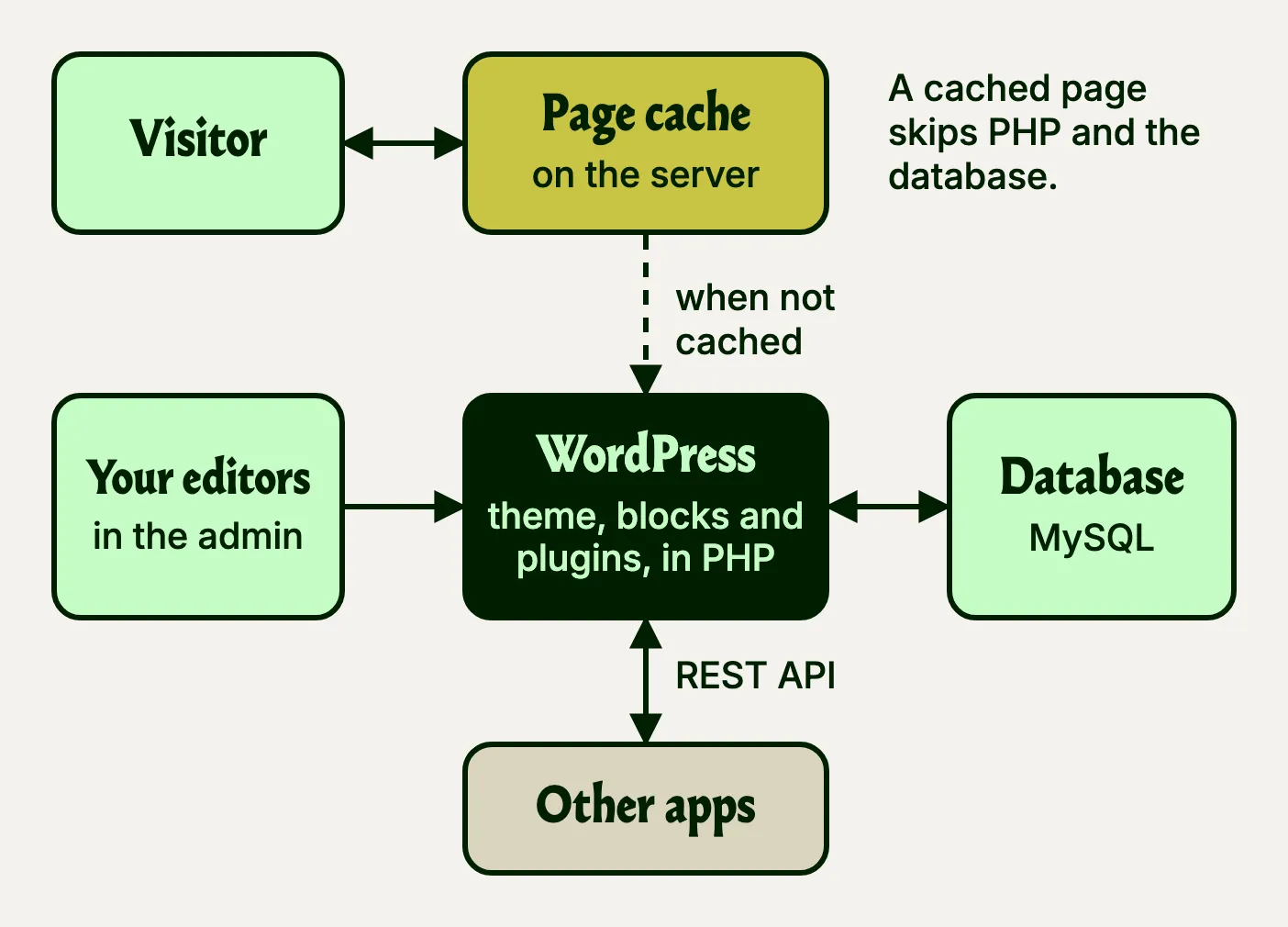
The cache then serves that page to later visitors without PHP or the database doing any work, and Cloudflare, in front of the server, sends images and files from a data centre near each visitor. Saving a page in the admin clears its cached copy, so the next visitor gets the new version.
The same content is also available as data. Since WordPress 4.7 in December 2016, every site has a REST API that returns its pages and posts as JSON, so a mobile app, a second website or your intranet can show them without anyone copying text across. Public content can be read without a login, and changing anything needs an account with the right role.
This website works that way. Its content lives in WordPress, and its pages are built from it through the REST API.
From workshop to launch
This is how a typical company site runs, from kick-off to launch.
Step 1
Workshop and content plan
We list the pages the new site needs and the blocks they’re made of.
Step 2
Structure, then design
Wireframes first, then the design of the key pages and of every block, reviewed on real phones.
Step 3
Build and real content
We build the theme and the blocks while your team fills in the real content.
Step 4
Training and launch
Your editors learn each block, every old address redirects to its new one and the site goes live.
Step 5
Looking after it
Updates tested on a copy first, on a website maintenance plan.
Content is what usually holds a project up, so we ask for it early. A page designed around the real words works better than one designed around placeholder text.
Why we don’t use page builders
Page builders such as Elementor and Divi let anyone drag anything anywhere. After a year of edits on a busy site you find buttons in four styles, headings at random sizes and pages carrying far more code than their content needs.
We design the blocks your content needs and build only those. A team block has fields for a name, a role and a photo. A pricing block has a row for each plan and a switch to highlight one. On pages that always follow the same order, such as a case study or a job ad, the template locks the blocks in place.
Your editors never see a margin setting or a colour picker, so a page looks as designed however often it’s edited. The page you are reading was made the same way, from blocks built for this site.
Plugins for shared jobs, our own code for the rest
Each plugin is someone else’s code on your site, updated on someone else’s schedule. A plugin earns its place for a job thousands of sites share and someone maintains full time, such as search settings, languages or a shop.
Anything that shapes how your site looks is our own code: a slider is a block, team members and vacancies are a content type, and an extra field is a few lines in the theme.
| Job | What we use |
|---|---|
| Custom blocks and fields | Advanced Custom Fields PRO, on almost every site we build |
| Search engines | Yoast SEO for titles, descriptions and sitemaps, though its writing checks don’t fully cover Latvian; Redirection for old addresses |
| Languages | Polylang on most sites, WPML on a few |
| Images | Converter for Media or Smush, so photos are smaller and load faster |
| WP Mail SMTP, so form and order emails don’t land in spam | |
| Speed | LiteSpeed Cache on LiteSpeed servers, with Cloudflare in front |
| Security | WPS Hide Login, which moves the login page away from where bots look, and WP 2FA or Wordfence for two-factor login |
| Cookie consent | Our own cookie consent plugin, which asks before analytics run |
| Shop | WooCommerce; EveryPay for payments; Omniva and DPD for parcel lockers; PDF Invoices & Packing Slips for invoices |
No site runs all of these.
Our blocks run on Advanced Custom Fields PRO. If its licence lapses, your editors can’t edit those blocks until it’s renewed, so we agree at the start whose name the licence is in.
What a plugin must pass before we install it
- When it was last updated, and that it works with the current WordPress
- How many sites run it, and how its developer handled past security holes
- What it loads on every page, and how much slower the page gets
- Whether something already installed does the same job
- What its licence costs each year, and what happens if it lapses
- What happens to your content if the plugin is removed later
Tests for the code we write
A plugin is someone else’s code. The code we write for your site, such as its blocks, forms and translations, is ours to prove. It comes with automated tests: small checks that run in seconds and always ask the same questions. Does a form refuse a message that is too short? Does a saved page clear its old copy from the cache? Does a translated page link to its twin?
When we change something later, the tests show at once whether an old feature broke, and the next developer can read them to see what the code is meant to do. We run them before each release, and the update goes to a copy of your site before it reaches the live one.
How we use Polylang
Most of our multilingual sites run on Polylang, and a few on WPML. Either way, a shop in several languages needs a paid add-on: Polylang for WooCommerce, or WPML’s CMS plan with its WooCommerce add-on.
Each language gets its own address: /en/ and /ru/, with Latvian at /lv/ or at the plain address. Each translation is a separate page with its own address, linked to the others.
Editors add a translation with the “+” next to a language in the page’s sidebar, and nothing forces every page to exist in every language. Menus are made once per language, and the language switcher can hide a language a page doesn’t have.
The theme’s own texts, such as button labels, form messages and the footer, are registered with Polylang, so anyone with admin rights can translate them on its Translations screen instead of asking us. Links in the theme go to each page’s version in the visitor’s language, and which content gets translated is set in the theme’s code, so the test site and the live site match.
For search engines, Polylang adds the hreflang tags that tell Google which version to show to whom, and each translation gets its own Yoast title and description. Yoast’s site-wide texts, such as title templates and breadcrumbs, are translated on the same Translations screen. Image alt texts can be translated too, without uploading the image twice.
Taking over a site someone else built
Maybe you already have a WordPress site, built by someone who has since moved on. It mostly works, and nobody dares to update it.
Some sites we take over arrive with dozens of plugins, often a page builder with a slider plugin on top. Now and then one has an “activator” that unlocks a pirated copy of a paid plugin. A cracked plugin gets no security updates and often carries a backdoor, so it should be the first thing to go.
Audit a copy
We copy the site and go through the hosting, the theme and every plugin with its licence. The live site stays untouched while we look.
Report in plain words
You get a short list of what to keep, what to fix and what to rebuild, with the risky items first.
Fix the urgent things
Plugins with known security holes, lapsed licences, missing backups and broken forms come first, before anyone talks about a redesign.
Keep it healthy
We move the site onto a maintenance plan.
Questions we hear
How much does a WordPress website cost?
The number of different blocks sets the price more than the number of pages. A 60-page site built from twelve blocks can cost less than a 20-page site that needs thirty, and languages and integrations add to it. After launch you pay for hosting, maintenance and any paid plugin licences, which mostly renew every year.
Can we edit the site ourselves?
Yes, that is what the blocks are for. Your team adds pages, changes text and images, publishes news and edits menus without us. You can install plugins too, but ask us first: a plugin added for one small fix is often where clashes and security holes start.
Is WordPress secure?
The risk sits in plugins and themes, so we keep few of them. On a maintenance plan we test every update on a copy of the site first. We look after your website’s security to reduce the risk of hacking and data leaks.
Should we use WooCommerce or Shopify?
Shopify, if the shop is the whole site: it looks after hosting, security and card payments, so there is less to maintain. WooCommerce, if selling is one part of a bigger WordPress site. It has plugins for Latvian bank links and parcel lockers, among them Montonio, MakeCommerce, Omniva, DPD and Venipak.
Can WordPress run in more than one language?
Yes, with a language plugin. We use Polylang, and WPML on a few sites. Each page gets its own version in each language, with its own address, title and search description, and visitors switch with a language menu. Your team adds and edits the translations in the same admin as the pages. We build multilingual sites ourselves: this website runs in Latvian and English, and the Riviera restaurant site in English, Latvian and Russian. A shop in several languages needs a paid add-on on top.
Who owns the site when it’s finished?
You do. Your website and its content belong to you. WordPress is open source under the GPL, so there is no licence fee and you may run or change it as you like, and the theme we build comes with the same freedoms. The one paid part to agree on is the licence for Advanced Custom Fields PRO, which your editors need to edit the blocks.
Do you test the code you write for WordPress?
Yes. The blocks, forms and integrations we write ourselves come with automated tests, so a later change that breaks an old feature shows up before it reaches your site. The plugins we install are not ours to test, which is why we keep them few and try every update on a copy of your site first.